


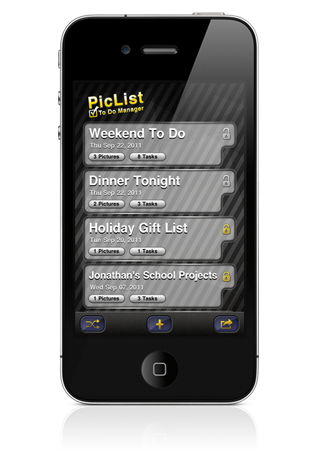
PicList To Do Manager is a unique To Do application that allows you to take pictures of any list and simply cross items off with your finger. But that is just the cool idea that started it all. PicList is also a powerful, useful, fast and easy to use to do management app that has all the traditional list features you would expect and more.


This one of a kind To Do Manager was designed to be powerful and simple at the same time. We have tried very hard to make everything you need just a couple of taps away.


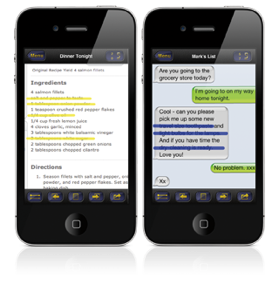
But obviously the best part of PicList is that you can turn virtually anything into a list. Take a screenshot of a new recipe to instantly turn it into a shopping list. Text messages, scribbled notes, a phone number on a napkin or a sticky note can all instantly be added to your list in a snap.  Add as many pictures as you want! And if you just want to add a quick task or create a task list without any pictures, you have all the power and features of a traditional to do list right there.
Spend your time doing it

- not typing it

Check Out These Features:

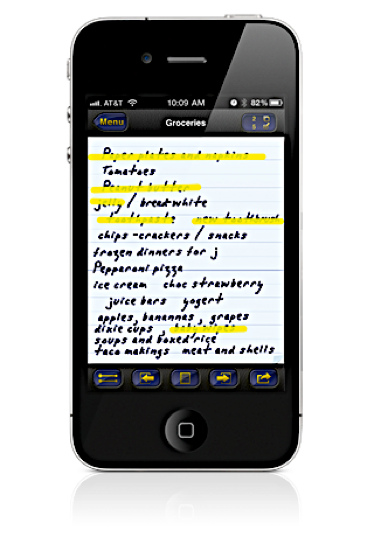
✭ Take pictures of your lists and cross them off with your finger.
✭ Import a photo of anything instantly turning it into a to do list.
✭ Two draw styles:
     ✭ Free Draw allows you to freely draw what you want on your list
     ✭ Point-to-Point helps you draw strait lines when crossing items
        off your list.
✭ Every picture list can have it's own stroke settings including:
     ✭ Size
     ✭ Color
     ✭ Opacity
     ✭ Draw Style
✭ Multi View gives you an overview of your whole list and allows you to go  
     directly to any picture.
✭ Two views in every list:
     ✭ Picture View where you manage your Picture Lists and cross items
        off with your finger.
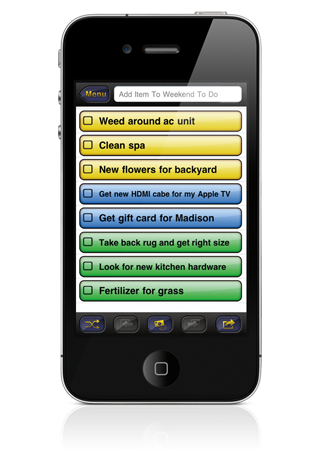
     ✭ Task View where you can add and complete items in a traditional to 
        do list.
✭ Make traditional task lists simply by not adding a picture.
✭ Sort your task items.
✭ Organize, categorize and prioritize with 10 different color backgrounds for 
     all your tasks.
✭ Set alerts with 30 different alert sounds.
✭ When an item is due and you need more time, easily add an Hour, Day or 
     Week without even going to the task.
✭ You decide what you want to do when a task item is done.  Delete it, move 
     it to the bottom or just leave it where it is.
✭ Set application wide defaults so every list is set up the way you want from 
     the start.
✭ Password protection.


Be sure to follow us on Twitter @MoseCode_Apps
Take ScreenShots of your phone to instantly turn anything like an email, a text message or an online recipe into a list.
It’s so simple.
Load a picture of your list.
Cross off items with your finger.
Made on a Mac
Read the review at The iPhone App Review.http://www.theiphoneappreview.com/2011/11/piclist-to-do-manager-iphone-app-review/